PZ LiveMap
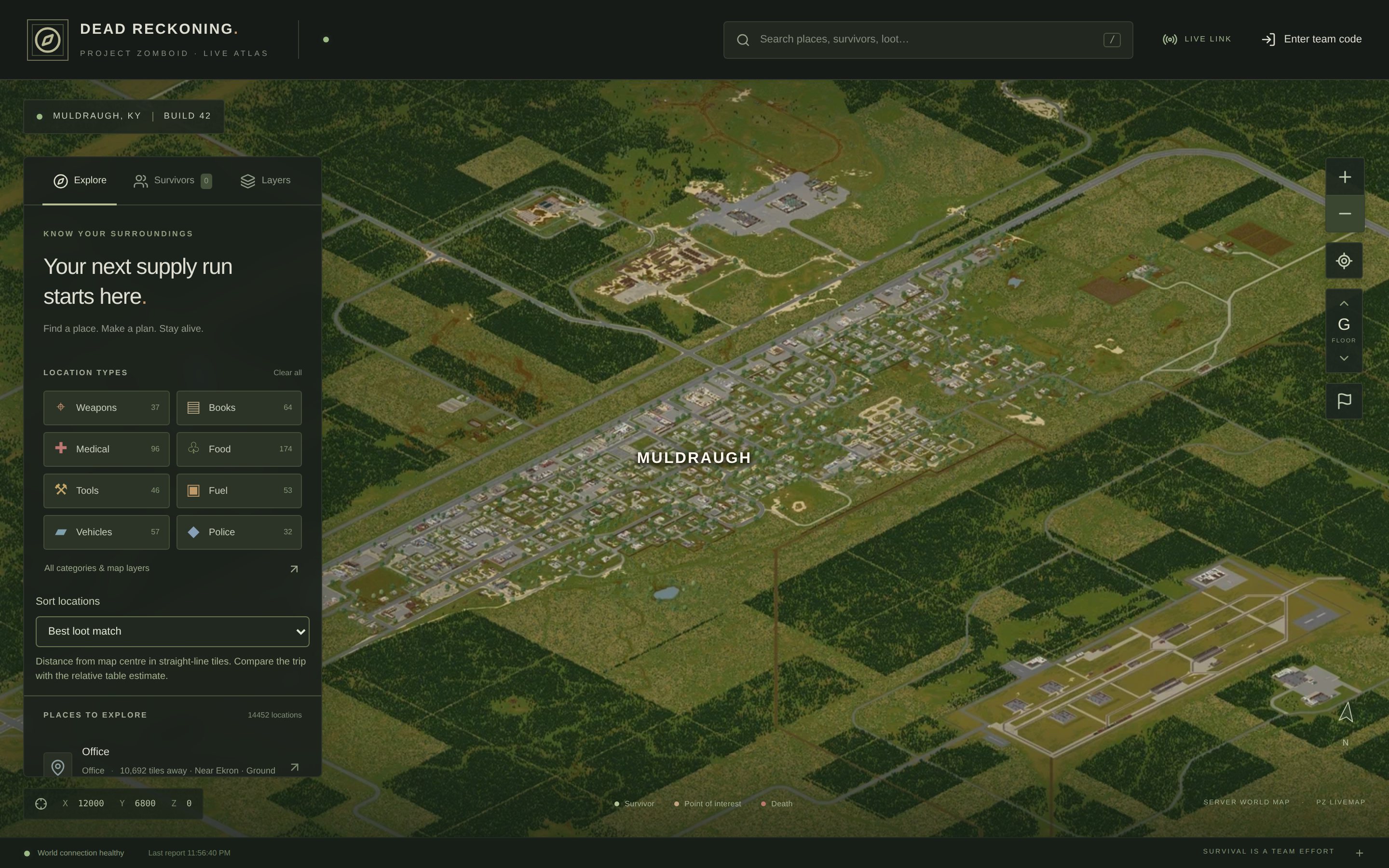
A live web map for a Project Zomboid server. See your team, find the loot, plan the run.
- Project Zomboid Build 42
- Windows dedicated server
- Nothing, it is a web page
- 0.5.0 beta, free
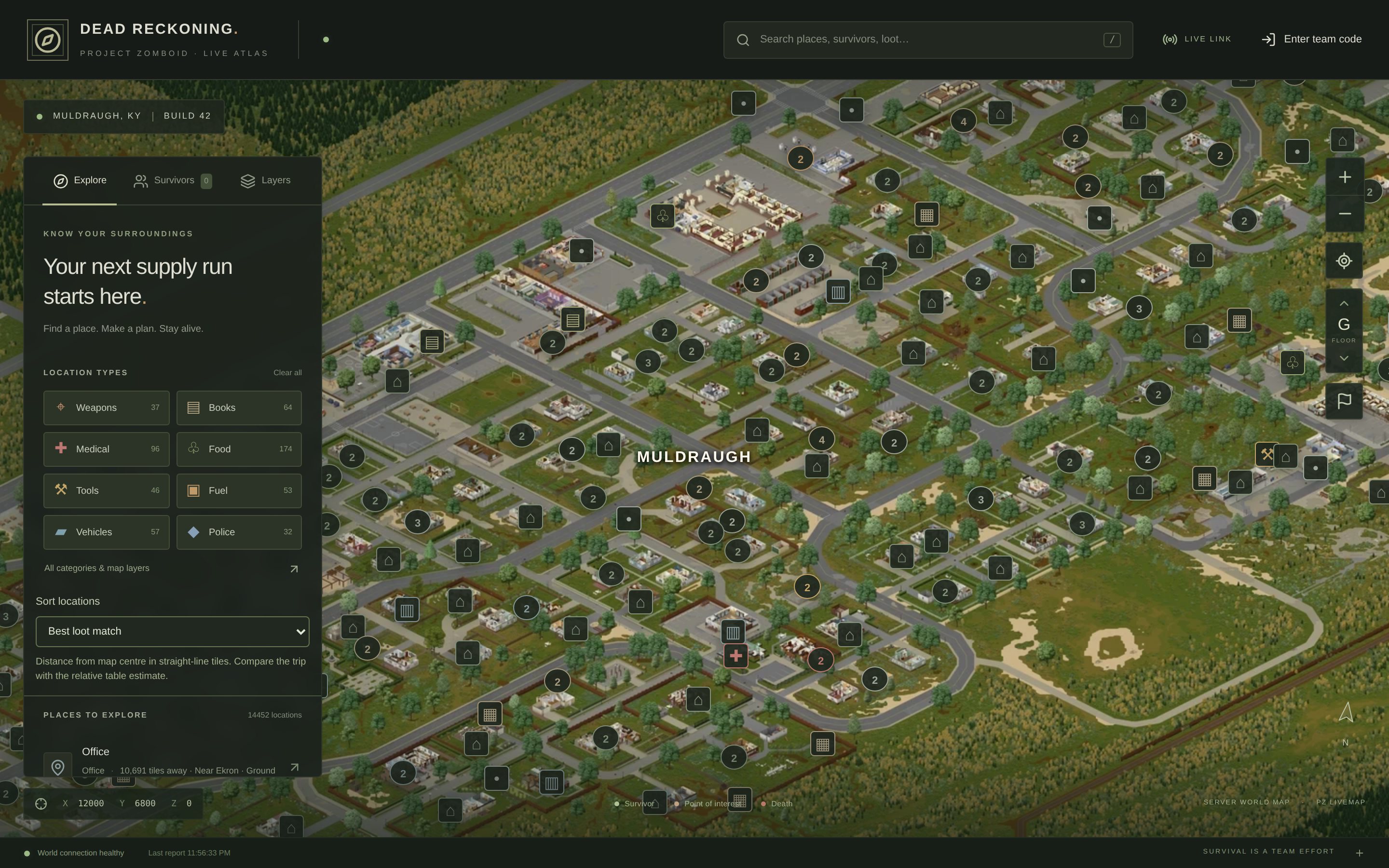
PZ LiveMap renders the Build 42 world as a detailed isometric map in the browser, shows where your team is in real time, and answers the question every survivor asks: where do I find a sledgehammer near here?
We built it for our own server. The map shows likely loot from the game's loot tables, not what is actually left on the shelf, so it helps you choose where to go without spoiling what you find when you get there.
Features
Your team, live
Friends sign in with a shared team code and see every player moving on the map. By default, visitors without the code see the map but not the players.
Find the loot
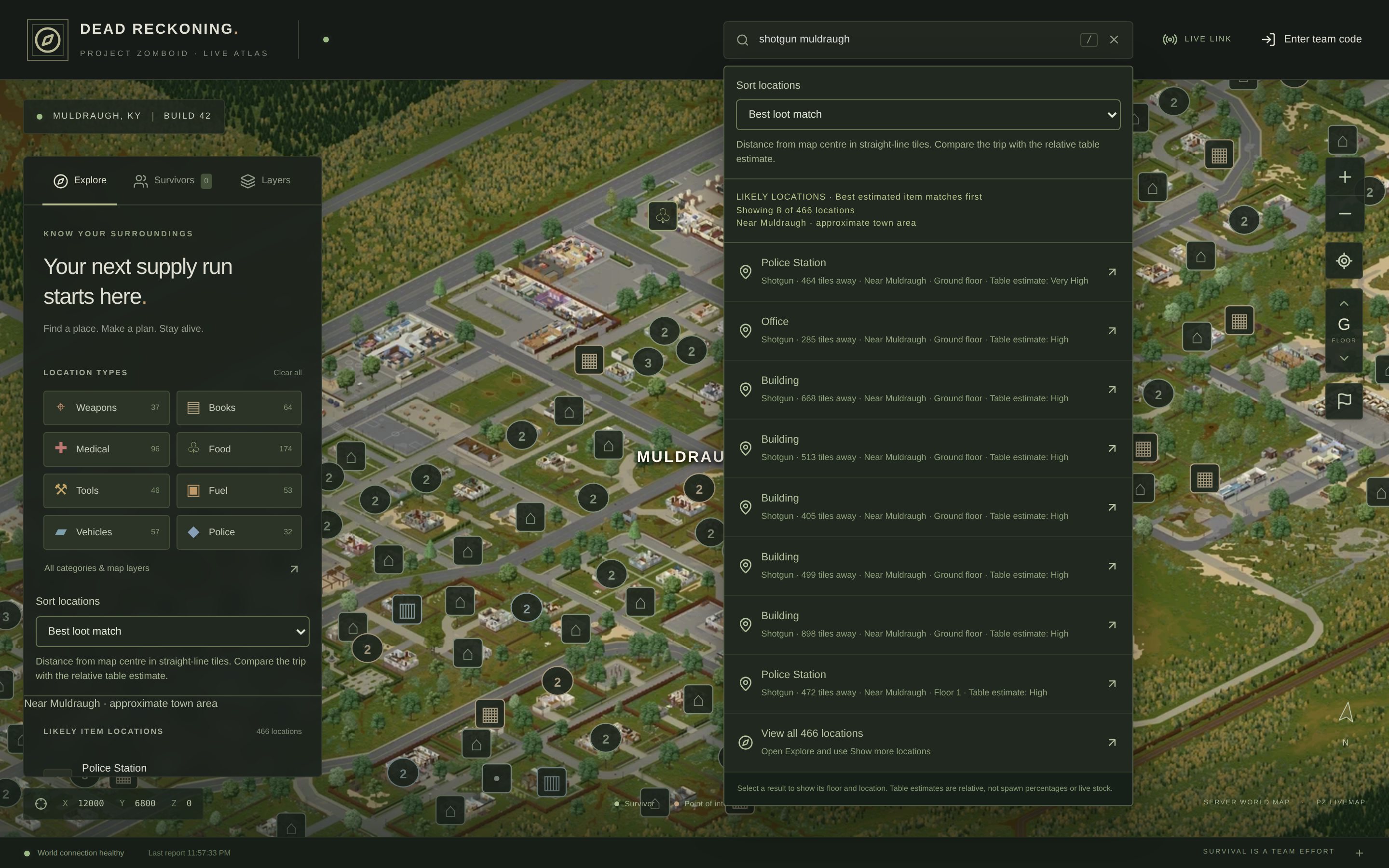
Search for an item such as a welding torch or 5.56 ammunition, add a town, and get likely locations ranked by loot table and distance.
Building details
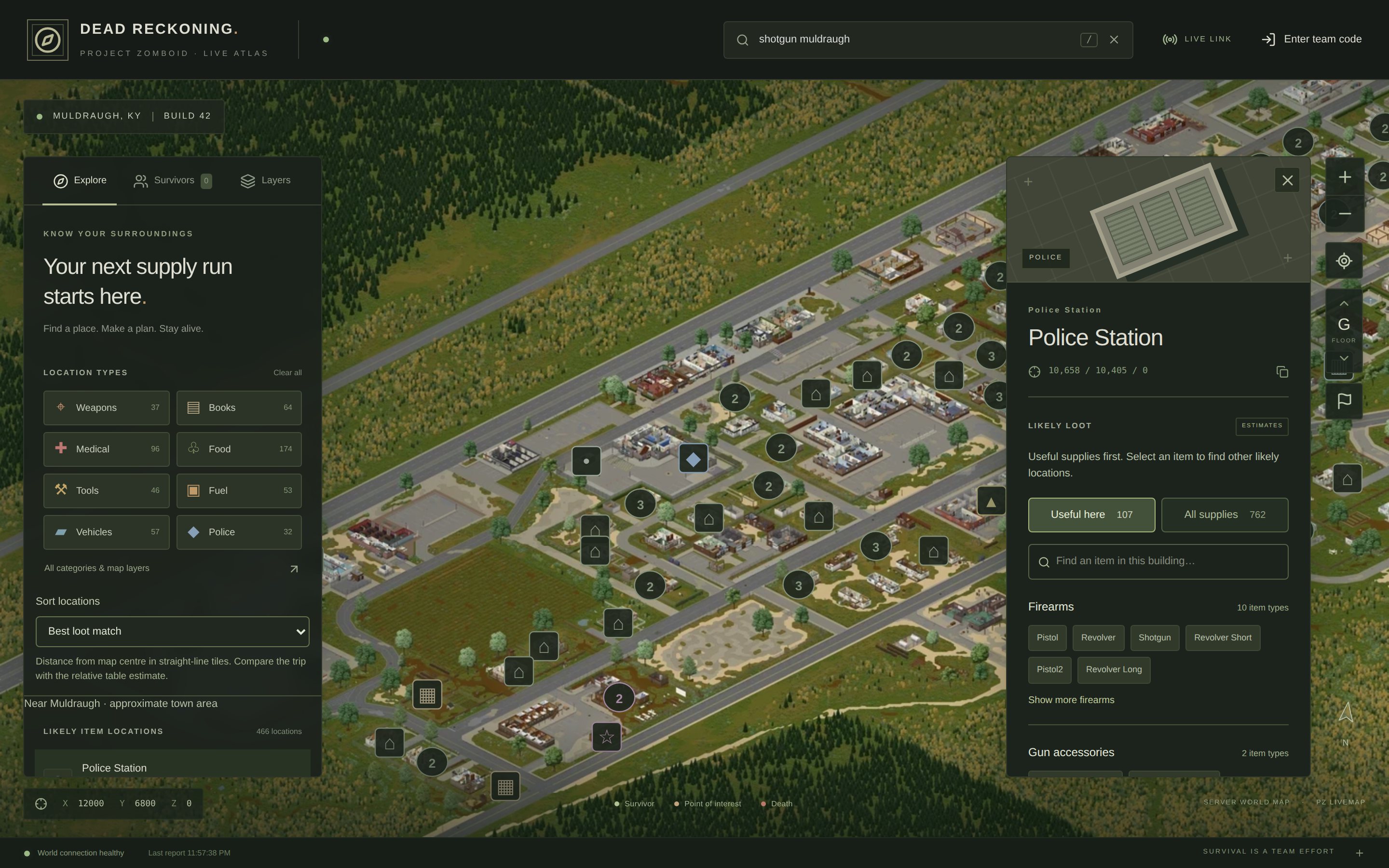
Every indexed building shows its likely supplies, from firearms at a gun store to tools at a hardware store, with everyday items one tap away.
Floors and labels
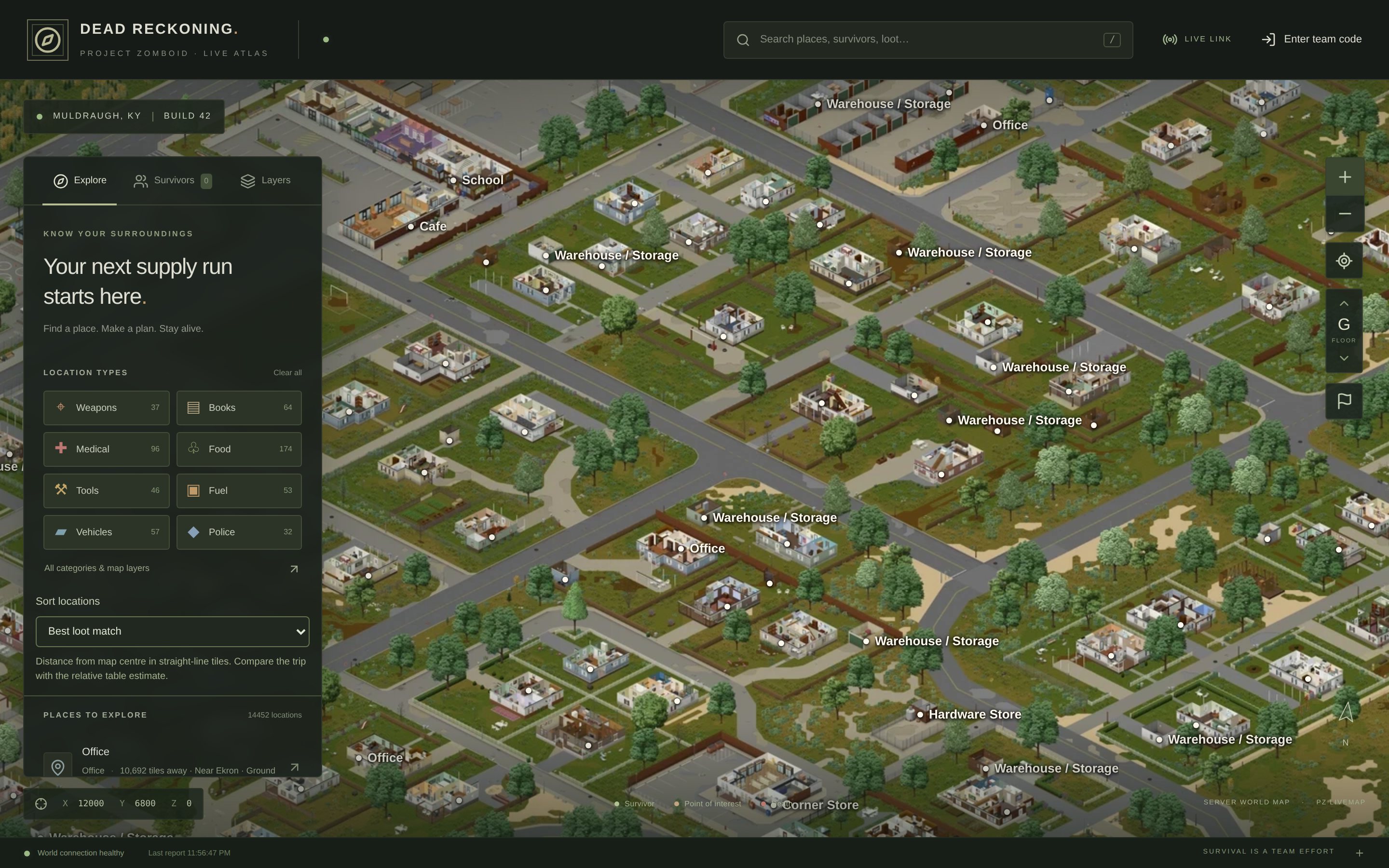
Switch floors without losing your place. Town names at a distance, building names up close, and ground floor shops stay labelled from above.
Markers, deaths and safehouses
Shared markers for the team, plus overlays for deaths, safehouses and factions.
A real render of the world
Terrain is rendered from the installed game files as a detailed isometric map. A portable renderer can do the heavy lifting on a gaming PC and import the result on the server.
Nothing for players to install
A small server-side agent reports the game state. Players just open a web page.
Gallery
How it works
Run the setup wizard on the Windows game server.
It finds your Steam or SteamCMD server, Zomboid data folder and server profiles, and lets you browse to anything it cannot find. It installs the map as a Windows service, creates the admin login and the team code, and indexes the installed map and loot data.Render the world.
Render from the game's own files on the server, or on a faster PC with the portable renderer, then import the finished map on the server while the game keeps running.Restart the game server once.
A small server-side agent then reports player positions to the map. Players install nothing.Share your address and the team code.
For access from anywhere, enter your own HTTPS address and connect it through a Cloudflare Tunnel in your own Cloudflare account.
Privacy by default
Visitors without the team code see the map, places and loot estimates, but not the players. Admins sign in separately. Passwords are hashed, sessions are cookie based, and the game's save files are never exposed.
One small program
The website and the game bridge ship as a single Windows service with its own database. There is no separate web server to run and no inbound port to open when you use a tunnel.
Download
Version 0.5.0 for Project Zomboid Build 42 on Windows x64. Both downloads are free and digitally signed. Players need no LiveMap mod or installer to view the map, only a web browser.
Windows server installer
Run as administrator on the Windows x64 game server. Installs the map as a Windows service, finds your server folders and sets up the team code.
Download 11.6 MBPZLiveMap-Setup-0.5.0.exe
Checksum file
SHA-256 6dc3a4a69021f385273f44804ec4d86af3a8967003b5ba23f2da0a7ede48c932Portable renderer and map importer
For another Windows x64 PC, such as a gaming PC. Renders the map there, then imports the finished package on the server.
Download 1.7 MBPZLiveMap-PortableRenderer-0.5.0.exe
Checksum file
SHA-256 8cbd3dad9acd9e2b2ae7b2c76ad0ebffc570b3cbcfc8cfdbb441b9957022dd15
Both files are code signed. Checksums and versions are also in the release manifest, and the full release notes are available as text.
Guides
Read them online, or save a copy for the server, where they work without an internet connection.
- Setup manualRead onlineDownload
- Portable renderer guideRead onlineDownload
Before you install
Small downloads, fetched as needed
The installers stay small because they download what they need later. Python and the rendering tools arrive before your first render or import, and Cloudflare's connector only when you set up a new tunnel. There is no separate Python to install.
Internet for the first setup
Those first downloads need an internet connection. Each one is checked against a pinned SHA-256 checksum, and completed downloads are cached in case you need to retry. Once installed, the tools can be reused offline.
Bring your own game files
Game assets and map tiles are not included. Rendering uses the Build 42 files already installed on your server or gaming PC, and a full world render can take hours and plenty of disk space.
Your own address
LiveMap does not come with a hosted address. To share the map beyond your network, use an HTTPS address on a domain you control, served from the root of that hostname, and route it through your own Cloudflare Tunnel.
Upgrading
Keep your existing installation paths and leave terrain rendering unchecked. Accounts, settings and rendered tiles are kept, and the map is back up once setup finishes.
Beta: this release passed its automated, download, rendering and signature checks, but has not yet been through a full hands-on install on a Windows server. Take a backup, try it before a big session, and tell us what you find.
Changelog
0.5.0
- Much smaller downloads. Python and the rendering tools download automatically before the first render or import, and Cloudflare's connector only when you set up a new tunnel.
- Every dependency is checked against a pinned SHA-256 checksum, retried up to three times with a progress window and Cancel, and cached. Installed tools can be reused offline.
- Setup finds Steam libraries, common SteamCMD folders and Zomboid server profiles. When it finds more than one, you choose, and Browse handles custom paths.
- No hostname is filled in for you. Public access uses your own HTTPS address.
- Updated setup manual and portable renderer guide.
0.4.8
- Changing floors keeps your location and zoom.
- Ground floor shops stay labelled under upper floor terrain, and shops sharing a building get their own markers.
- Farm and garden supply rooms are recognised.
Support
Questions or bugs? Email [email protected] with the LiveMap version and what happened. If you want something like it built for your own game or community, start a project.